Installing the WeChat app
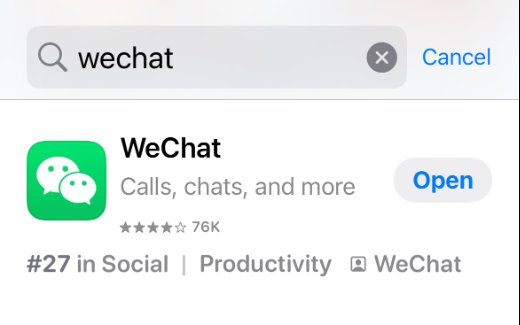
You can download the official WeChat app from the Apple App Store or Google Play Store. If you already have WeChat installed on your phone, make sure to update it to the latest version!
Registration
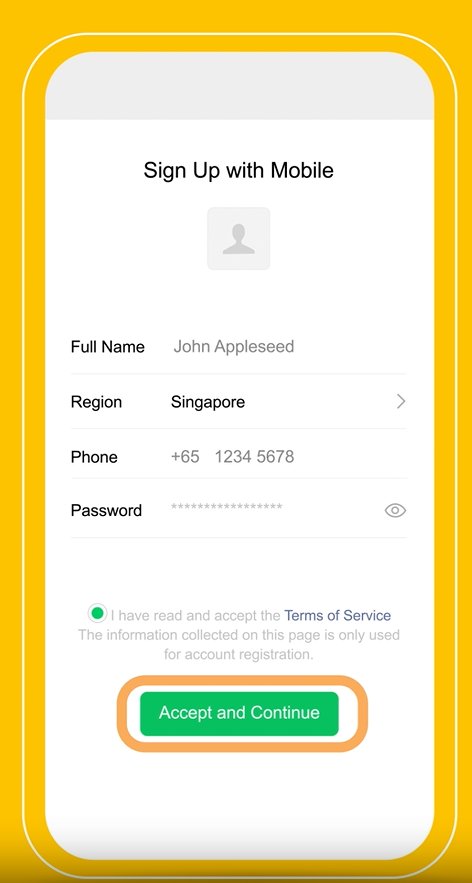
WeChat requires a phone number to register, but it does not need to be a Chinese mainland (+86) number. Any international phone number that can receive SMS verification codes will do.
Enter your full name, region, phone number, and set a password. Read the Terms of Service, and then click Accept and Continue.
Security Verification
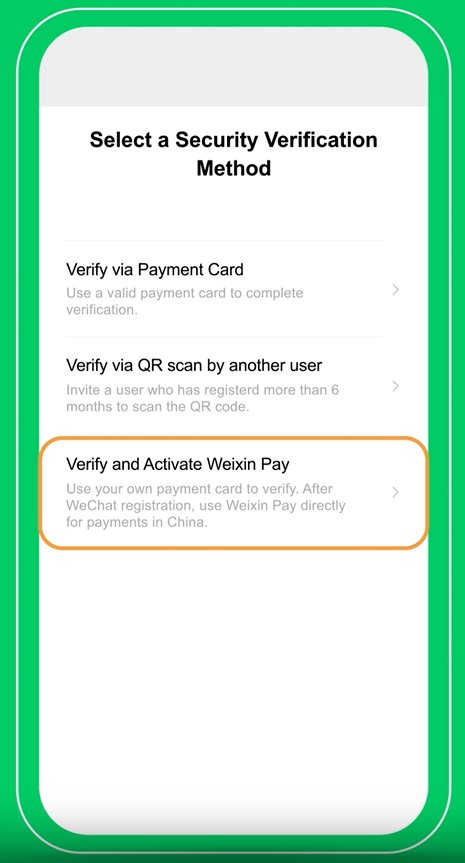
After registration, WeChat requires a security verification process to keep out spammers. There are three ways to verify: you can add a payment card, invite a user who has already been using WeChat for 6 months to scan your QR code, or activate WeChat Pay.
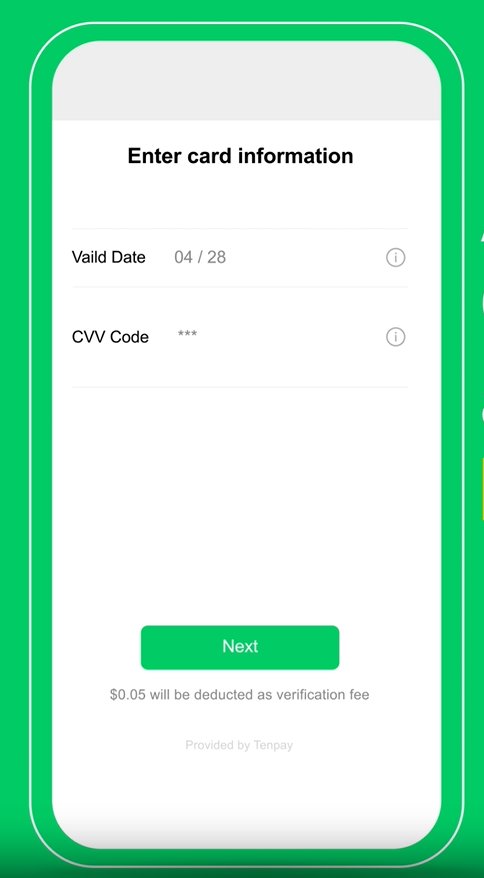
Since having WeChat Pay will make your travel a lot easier, we recommend the third method. You will be prompted to add a bank card. Currently, WeChat Pay supports Visa, Mastercard, American Express, JCB, Discover, and Diners Club International. Enter your card information and tap next.
Note: $0.05 will be deducted as a verification fee.
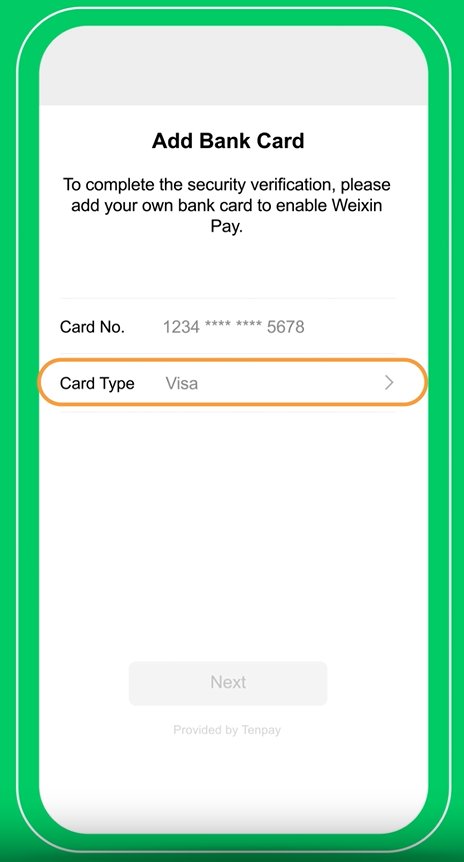
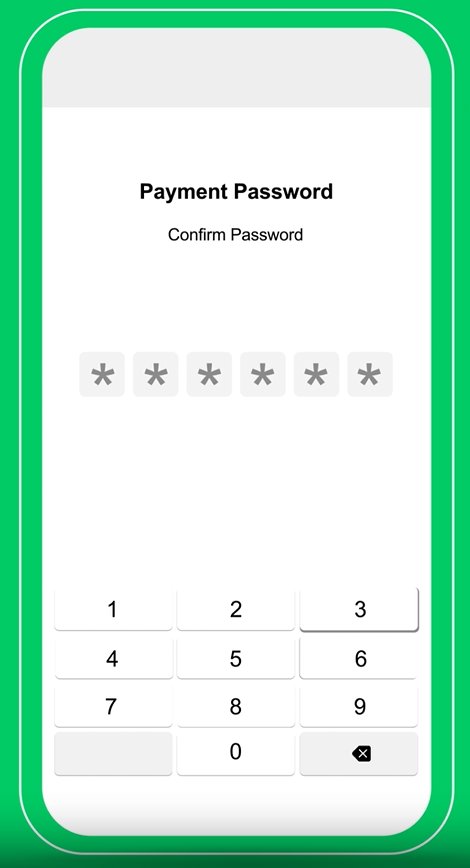
At this stage, you will be prompted to set up a 6-digit payment password to keep your account safe. Remember this password as you will need to use it every time you make a payment in the future.
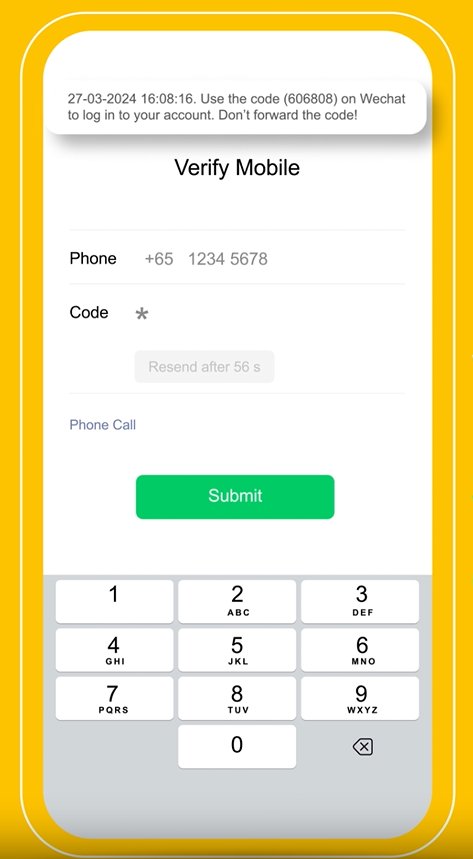
The final step is to verify your mobile phone number with an OTP (one time password). Enter your phone number and WeChat will send you a code.
Linking a foreign bank card
If you already have WeChat and want to activate WeChat Pay, follow the next steps instead.
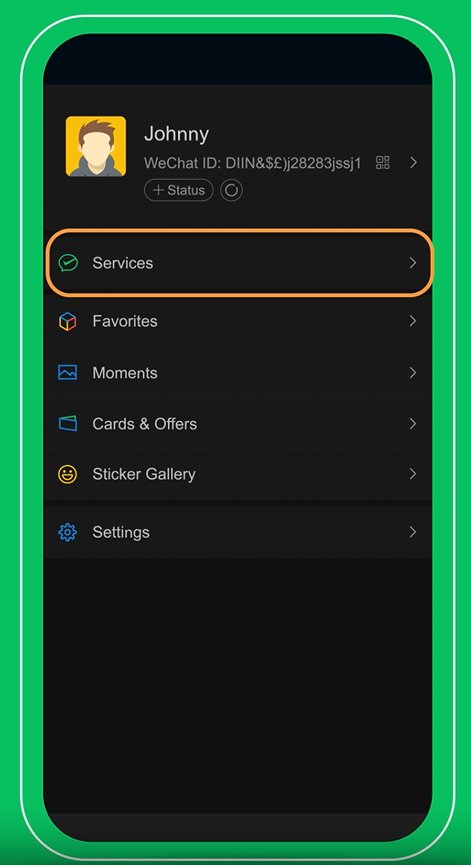
Linking a foreign bank card
If you don’t see “Services,” tap on “Settings” instead.
“Settings” > “General” > “Tools” > “WeChat Pay” > “Enable”
Step 2: Tap “Wallet” > “Bank Cards” > “Add A Bank Card”
Once completed, you can spend up to RMB 15000 (approx. $2000) in total during your stay in China, without providing your personal info.
If you want to increase your limit, you will need to complete real-name authentication. This is a standard step in compliance with China’s anti-money laundering laws.
Step 3 (real-name authentication to increase limit, optional): “Me” > “Pay and Services” > “Money”
To get started, you will need one of the following documents:
- Foreign passport
- Mainland Travel Permit for Hong Kong and Macau Residents (Home Return Permit)
- Mainland Travel Permit for Taiwan Residents (Taiwan Compatriot Permit)
- Residence Permits for Hong Kong, Macau, or Taiwan residents
- Foreign Permanent Residence card
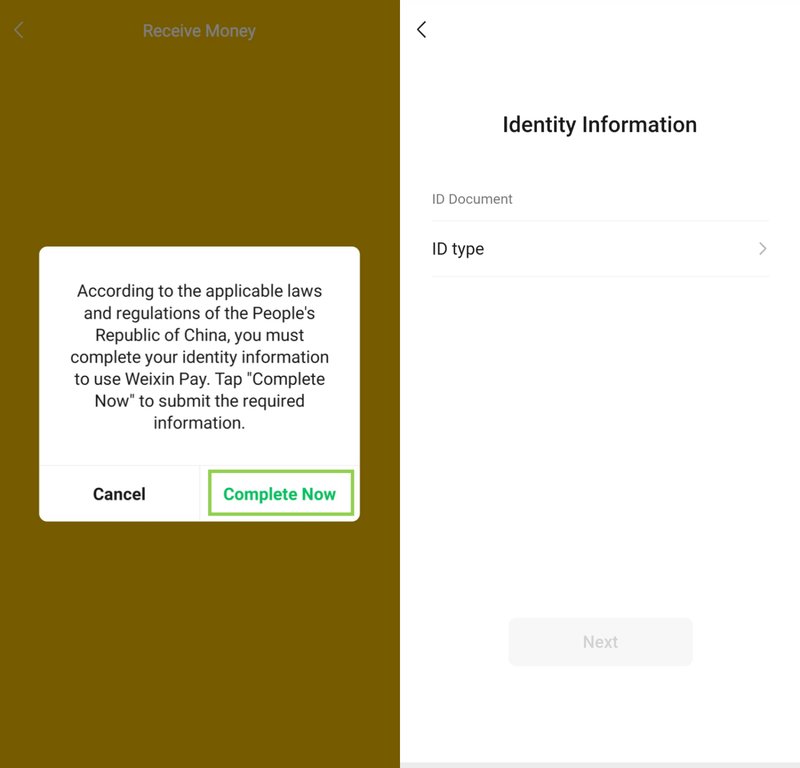
In “Money”, under the payment QR code, tap on any unavailable service, such as “Receive Money” or “Reward Code,” and you will see a pop-up window shown above. Click “Complete Now.” From there, follow the instructions to complete the authentication process.
Follow the prompts to upload your passport photo
Once verified, you can enjoy a higher spending limit and try more services like Red Packets.
One more note: make sure the “Default Payment” is set to your bank card, not the “Wallet Balance.” Only Chinese bank cards can be used to top up the “Wallet Balance.” International cards are not supported for this feature at the moment.
Top up with TourCard
However, if your card doesn’t work directly or you’re a short-term visitor, you may want to try TourCard instead.
TourCard gives you the option of opening a temporary virtual local bank account valid for 180 days, which you can then use to top up WeChat Pay or Alipay. You can find out more in our guide to Alipay.
Using WeChat Pay for payments
You’re all set! Now it’s time to start using WeChat Pay like a local.
To make a payment, tap on “Money” to access your payment QR code. You can either scan the merchant’s code or show your code to a merchant.
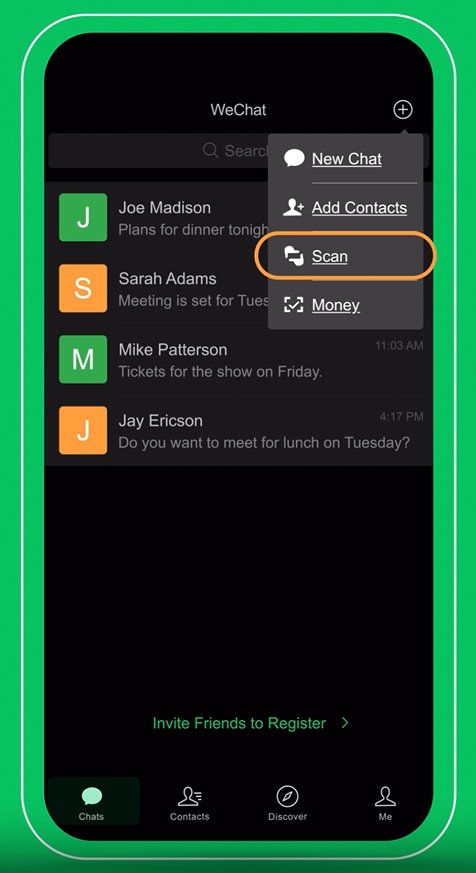
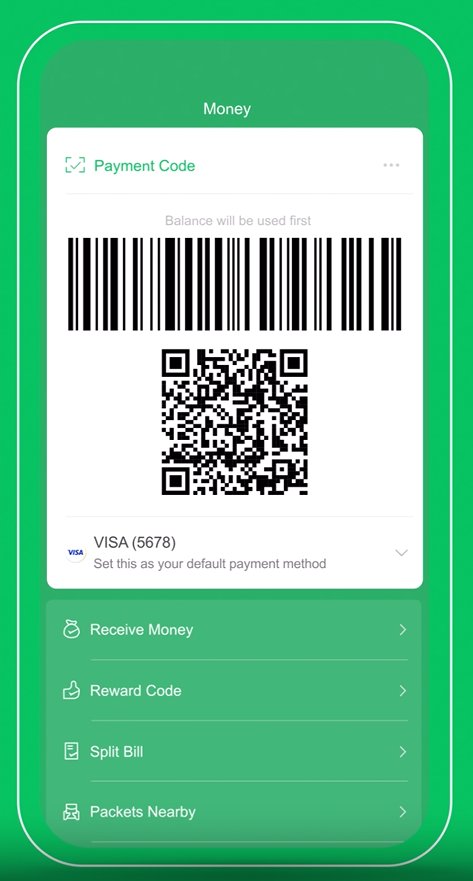
You can also explore other Chinese apps through WeChat’s mini programs, a built-in platform that brings a wide range of services and apps right to your fingertips.
For example, you can use the DiDi mini program to book a ride, just like Uber or Lyft. No need to download a separate app—simply search for “DiDi” within WeChat and start your journey!
Unlinking your bank card
If you wish to unlink your bank card after your trip, you can do so easily by following the instructions below:
First, navigate to “Me” > “Pay and Services” > “Wallet” > “Bank Cards,” and find the card you want to remove.
Click the card once and tap on the three dots in the top right corner. You will see the unlink option pop up at the bottom.
Simply enter your payment password, and the card will be removed.
Limitations
While WeChat Pay offers great convenience, there are a few limitations for international users. These include:
- Peer-to-peer transfers: International users can’t send money to other individuals or receive personal transfers unless linked with a verified Chinese bank account.
- Mini programs: Without a Chinese mainland phone number, international users may not be able to use WeChat’s mini programs, which include Didi (China’s ride hailing app, like Uber/Lyft), Meituan and Eleme (China’s delivery app, like Uber Eat/DoorDash).
- Withdrawal to foreign accounts: You cannot withdraw or transfer funds from your WeChat Pay Wallet to your foreign bank card.
Frequently asked questions
Can I register WeChat outside China? Yes. You can sign up with any valid international phone number.
What if I don’t have a friend to verify me? That’s okay. Ask your travel designer, tour provider, hotel concierge, or a colleague in China—they’re often happy to assist.
Is WeChat available in English? Yes! WeChat is available in multiple languages, including English. WeChat also has a built-in translation function, which means you can communicate with Chinese speakers even if you don’t speak the language.
Is WeChat Pay secure? Yes. It’s widely used and considered safe, with encryption and multi-factor authentication features. However, like any digital payment platform, its security depends on both the platform’s safeguards and the user’s behavior.
What if my card is rejected? Try another card, or use TourCard as a fallback option.
Can I use Apple Pay or Google Pay instead? No. Most places in China do not accept foreign wallets. WeChat Pay and Alipay are the dominant payment methods.
Which one is better, WeChat Pay or Alipay? Both are dominant digital payment methods in China, though Alipay may be more easily accessible for international users. We recommend downloading both.